

GatherLedger(前身为Loot Ledger)是一个插件,用于追踪你在游戏中的各种获取行为,包括打怪掉落、采集资源、钓鱼收获以及制造物品等。它会自动记录所有这些活动,并生成详细的统计报告。你可以查看每种资源或物品的获取数量、获取时间以及获取地点等信息,帮助你更好地了解自己的游戏行为和资源积累情况。此外,该插件还支持数据导出功能,方便你进行进一步分析或与其他玩家分享你的游戏成果。

Minimal unit frames for World of Warcraft. Clean, lightweight, and standalone.


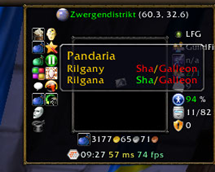
检查角色是否已击败世界首领的Broker插件 这款Broker插件能帮助你快速检查角色是否已经击败了当前版本的世界首领,让你更好地规划游戏时间和活动。

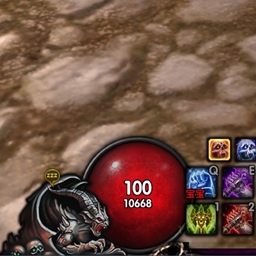
oUF单元框架,UI优化及常用工具集!这款插件集成了单位框架优化、界面美化以及一系列常用功能,助你提升游戏体验。

oUF 是一款针对魔兽世界用户界面的优化插件,它提供了单位框架的优化和常用工具,帮助玩家提升游戏体验。通过自定义单位框架,玩家可以更直观地查看角色和目标的状态,同时插件还集成了多种实用功能,让玩家能够更高效地管理游戏内的信息。
DBM首领警报主模块,包含当前版本的副本,不包含老团本和五人副本,需要的可以单独下载其他资料片的模块。
DBM首领警报主模块,包含当前版本的副本,不包含老团本和五人副本,需要的可以单独下载其他资料片的模块。
DBM首领警报主模块,包含当前版本的团队副本,不包含老团本和五人副本,需要的可以单独下载其他资料片的模块。
怀旧专用版本,正式服请勿下载!
功能强大并具有人性化设置向导的伤害统计插件。
Adds Models to the tooltip for every npc, player, pets. Enhances the plain tooltip with visuals.
A simple add-on, built to input as many recruitment messages as you like and randomly sends one out to LFG with the command /recruit.
A revival for Classic of the legendary Loremaster AddOn. Perfect for who miss or need to complete quests
Shows your current talent loadout in a movable on-screen box and reminds you to check your talents when entering a dungeon or raid.
Whisper every online guild member at once. Rank, level and zone filters.