

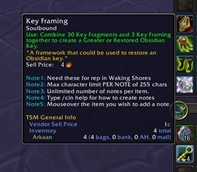

QFXTip 增强了游戏提示框功能,显示物品等级、地下城+(M+)信息、ID等内容,并采用战斗安全固定定位,防止提示框在战斗中覆盖姓名板。

状态追踪是一个插件,用于监控和显示玩家在游戏中的各种状态信息。它可以追踪你的生命值、法力值、能量、连击点数等资源状态,同时也能监控技能冷却、buff/debuff状态、团队状态等信息。通过直观的图标和进度条显示,让你能够快速掌握自身和队友的状态变化,从而做出更及时的反应。你可以自定义显示位置、大小和样式,以适应不同的游戏需求和界面布局。
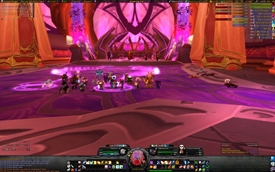
HealBot Continued 是一款专注于治疗功能的魔兽世界插件,它通过直观的界面和高效的技能管理,帮助玩家在团队副本中更有效地治疗队友。 ### 简体中文概述 HealBot Continued 插件:专为治疗者设计,提供简便的界面和高效的技能分配,助你轻松管理团队治疗。
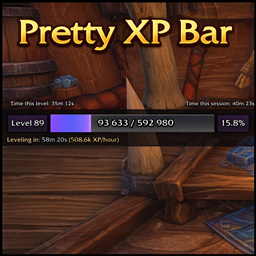
一个简洁现代的经验值条,带有实时计时器、升级预计时间和清晰易读的数字间距显示。
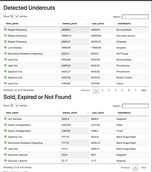
Saddlebag Exchange是一款魔兽世界内的游戏市场插件,主要用于生成JSON数据,以供我们的机器人及网站功能使用。以下是中文简介: **插件简介:** Saddlebag Exchange插件可以帮助玩家在游戏中进行物品交易,同时它能够生成JSON数据,用于机器人操作和网站功能。

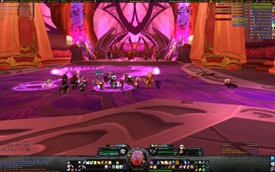
继续治疗机器人 【功能】 治疗机器人是一款专注于治疗辅助的插件,能够高效地管理治疗流程,帮助玩家在团队副本中更好地进行治疗。 【用法】 1. 自动选择目标进行治疗,可根据血量优先级进行排序。 2. 提供多种治疗技能绑定,实现一键治疗。 3. 集成团队框架,方便监控团队成员血量状态。 4. 支持自定义设置,可根据个人喜好调整界面及功能。
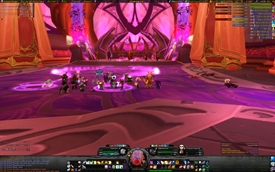
HealBot超强治疗助手插件,一个可以在魔兽世界中通过设定进行一键治疗,一键BUFF DEBUFF解除的方便助手。在2.0取消一键解后healbot无疑是你最佳的选择。
DBM首领警报主模块,包含当前版本的副本,不包含老团本和五人副本,需要的可以单独下载其他资料片的模块。
DBM首领警报主模块,包含当前版本的副本,不包含老团本和五人副本,需要的可以单独下载其他资料片的模块。
DBM首领警报主模块,包含当前版本的团队副本,不包含老团本和五人副本,需要的可以单独下载其他资料片的模块。
全面战斗分析,汇聚伤害、治疗等关键数据。
怀旧专用版本,正式服请勿下载!
Practice your opener rotations with an on-screen spell checklist that turns green as you cast, showing cast timing, per-spec presets and shareable import strings.
Help us to monitor who's recruiting for pug
A port version of ElvUI WindTools for EllesmereUI
Automatically deposits and consolidates item stacks from your inventory into your personal bank and guild bank
Automatically deposits and consolidates item stacks from your inventory into your personal bank and guild bank
