
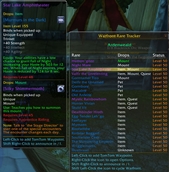
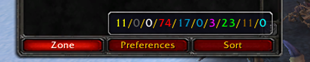



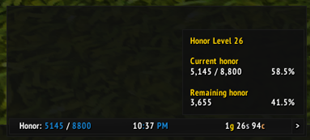
To create a data text for displaying honor using ElvUI, you would typically follow these steps in your translation, focusing on the functionality and how a gamer would use it. Here's how you could present it in Chinese: --- **ElvUI荣誉数据显示文本设置指南:** 1. 打开ElvUI配置界面。 2. 进入“数据文本”或“插件”选项卡。 3. 选择“新建”,然后选

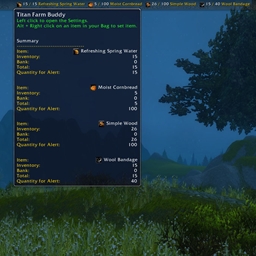
一款Titan面板插件,可在面板上追踪最多四件已采集物品。当物品达到设定的目标数量时,将出现通知提醒。
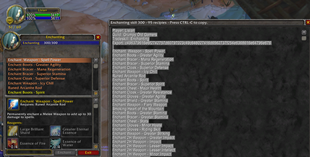
TradeSkillExporter是一款用于《魔兽世界》的插件,它能帮助你快速导出专业技能制作配方,让你轻松管理并分享你的专业技能数据。使用时,只需在专业技能界面选择导出功能,即可生成包含所有已知配方的列表。
DBM首领警报主模块,包含当前版本的副本,不包含老团本和五人副本,需要的可以单独下载其他资料片的模块。
DBM首领警报主模块,包含当前版本的副本,不包含老团本和五人副本,需要的可以单独下载其他资料片的模块。
DBM首领警报主模块,包含当前版本的团队副本,不包含老团本和五人副本,需要的可以单独下载其他资料片的模块。
全面战斗分析,汇聚伤害、治疗等关键数据。
怀旧专用版本,正式服请勿下载!
Track your best Mythic+ runs, live dungeon progress, and weekly rewards in a compact multilingual panel.
A simple portal management button
Stat diminishing returns tooltip for the character panel.
ConsumeHelper gives you movable bars for consumables, keeping them off your main action bars. Organize consumes into custom categories, float categories separately, track cooldowns, and configure layouts per character with easy copy options.
A tiny addon that configures your maximum camera zoom distance and remembers your setting.
