
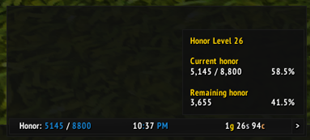
To create a data text for displaying honor using ElvUI, you would typically follow these steps in your translation, focusing on the functionality and how a gamer would use it. Here's how you could present it in Chinese: --- **ElvUI荣誉数据显示文本设置指南:** 1. 打开ElvUI配置界面。 2. 进入“数据文本”或“插件”选项卡。 3. 选择“新建”,然后选



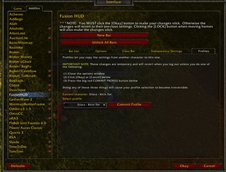


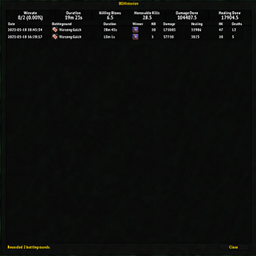
《BGHistorian》插件已兼容“发现之旅”赛季,可正常使用。该插件能够帮助你追踪战场历史战绩,分析对手,提升竞技场表现。
DBM首领警报主模块,包含当前版本的副本,不包含老团本和五人副本,需要的可以单独下载其他资料片的模块。
DBM首领警报主模块,包含当前版本的副本,不包含老团本和五人副本,需要的可以单独下载其他资料片的模块。
DBM首领警报主模块,包含当前版本的团队副本,不包含老团本和五人副本,需要的可以单独下载其他资料片的模块。
全面战斗分析,汇聚伤害、治疗等关键数据。
怀旧专用版本,正式服请勿下载!
An inventory decision assistant that scans your bags, bank, and Warband storage, explains what items are used for, and helps you decide what to keep, sell, auction, or review.
Organize fair Mythic+ signups and role based random draws for streams, communities and guilds, with live role counters, applicant lists and direct invites.
A smart utility toy button that automatically suggests useful toys based on your current situation.
A clean, easy-to-set-up damage meter built on Blizzard's official damage meter API, with an end-of-run scoreboard for Mythic+ and raids.
Save presets that combine specialization, talents, gear and appearance, and switch all of them with one click.
