

Loot Drama是RCLootCouncil的配套插件,可与Loot Drama网站集成,将外部装备优先级数据直接导入到RCLootCouncil的投票界面中,方便你在团队分配装备时参考外部优先级信息。

通过几次点击,轻松邀请新成员加入你的公会。简单!
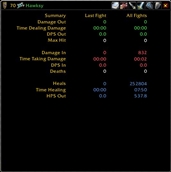
Certainly, please provide the English introduction to the WOW addon or WeakAuras that you would like me to translate into Chinese. Once I have the text, I will follow the guidelines provided to create a concise and clear Chinese version.
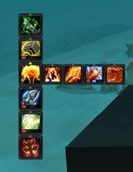
萨满图腾条 该插件为萨满职业提供了一个直观的图腾条,方便玩家管理图腾的摆放与使用。图腾条上显示了各个图腾的冷却时间,玩家可以根据需要进行快速施放或替换。


《评级统计》是一款专注于评级PvP历史记录的应用,可追踪 solo Shuffle、2v2、3v3、随机战场(RBG)和solo RBG 的比赛,以及每场比赛结束时的玩家统计数据。
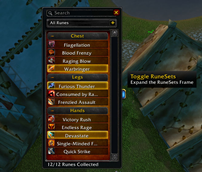


"快速FPS与延迟检测插件,可实时显示FPS和服务器延迟数据,界面友好,支持通过命令行和迷你地图图标进行自定义设置。"
DBM首领警报主模块,包含当前版本的副本,不包含老团本和五人副本,需要的可以单独下载其他资料片的模块。
DBM首领警报主模块,包含当前版本的副本,不包含老团本和五人副本,需要的可以单独下载其他资料片的模块。
DBM首领警报主模块,包含当前版本的团队副本,不包含老团本和五人副本,需要的可以单独下载其他资料片的模块。
全面战斗分析,汇聚伤害、治疗等关键数据。
怀旧专用版本,正式服请勿下载!
A customizable Skyriding HUD tracking Vigor, Second Wind charges, flight speed, and recharge time.
Chinese voice pack for DiGua, voiced by streamer TTNX for raid and M+ alerts
Configure delayed voice announcements for spells and buffs with custom messages, timing, and TTS voices.
This addon makes battle pet combat support scripting
Dumps Graphics settings from wow into a copyable list. Paste into your Favourite AI. It can generate recommended settings for your PC. Then Import the new list back and apply!
