

这个插件为ArcUI Buff Bars添加了TTS(文字转语音)声音提醒功能。当你获得或失去特定的buff时,系统会通过语音播报提醒你,让你无需一直盯着屏幕也能及时了解自己的buff状态。这对于需要高度专注战斗场景的玩家来说非常有用,可以显著提升游戏体验和战斗反应速度。

Track your gold earned and spent across all your World of Warcraft characters with session and all-time statistics with profit/loss information.

Track your gold earned and spent across all your World of Warcraft characters with session and all-time statistics with profit/loss information.
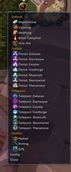
DagAssist 是一款专注于盗贼职业技能监控的WOW插件。以下是为中国玩家准备的简洁介绍: ### DagAssist 插件简介 DagAssist 主要用于帮助盗贼玩家管理技能冷却时间和能量消耗,提升战斗效率。它能显示当前的技能状态,并在技能可用时发出提示,让玩家可以更加精准地进行连招和控制战斗节奏。以下是核心功能: - **技能冷却监控**:清晰展示各项技能的冷却时间。 - **能量消耗提示**:帮助玩家合理分配能量使用。 - **战斗效率提升**:通过实时状态提示,优化技能使用顺序。 使用方法简单,安装后根据个人偏好进行设置即可。


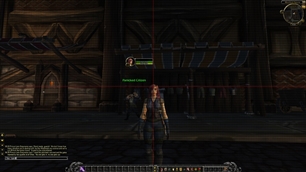

Do Dots! is a sleek, multi-target DoT, Debuff and Threat tracker for any class. Track your enemies, manage your DoTs and debuffs, and keep your damage under control with a clean, customizable combat interface. Dodots Dodots!

raid encounter, this addon tracks your cooldowns and alerts you if you miss using any that could have been used during the fight. It provides a summary at the end of each encounter, highlighting any potential improvements in your ability usage. ###Chinese Summary### 监测未使用的冷却技能。在团队副本中,该插件会追踪你的冷却技能
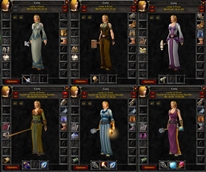
SnapShot 是一款强大的WoW插件,主要用于协助玩家快速分析并优化其角色配置。该插件能够捕捉并记录你的装备、天赋、技能等信息,并提供详细的性能数据,帮助玩家提升战斗效率。 **中文简介:** SnapShot 能帮你一键分析角色,显示关键战斗数据,让你轻松调整配置,提升战斗力。
DBM首领警报主模块,包含当前版本的副本,不包含老团本和五人副本,需要的可以单独下载其他资料片的模块。
DBM首领警报主模块,包含当前版本的副本,不包含老团本和五人副本,需要的可以单独下载其他资料片的模块。
DBM首领警报主模块,包含当前版本的团队副本,不包含老团本和五人副本,需要的可以单独下载其他资料片的模块。
全面战斗分析,汇聚伤害、治疗等关键数据。
怀旧专用版本,正式服请勿下载!
Fishing assistant: one key to cast and hook, a louder splash and a fishing journal.
Lightweight PAI = PetAutocastIcons for Hunters and Warlocks
A lightweight World of Warcraft addon that lets you customize tooltip size with a simple slider. Adjust tooltip scaling from 100% to 150%, with automatic settings saving.
A lightweight World of Warcraft addon that lets you customize tooltip size with a simple slider. Adjust tooltip scaling from 100% to 150%, with automatic settings saving.
Transcribe captions WoW voice chat and types your speech into the chat bar via a hotkey, green mic icon, and a Windows speech helper.