
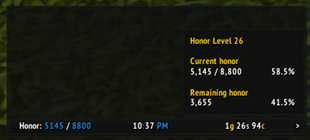
To create a data text for displaying honor using ElvUI, you would typically follow these steps. Please note that the actual translation is below, following the guidelines you provided. 1. Open ElvUI settings. 2. Navigate to the Data Texts section. 3. Create a new data text. Below is the translatio
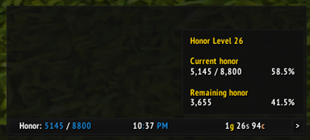
To create a data text for displaying honor using ElvUI, you would typically follow these steps in your translation, focusing on the functionality and how a gamer would use it. Here's how you could present it in Chinese: --- **ElvUI荣誉数据显示文本设置指南:** 1. 打开ElvUI配置界面。 2. 进入“数据文本”或“插件”选项卡。 3. 选择“新建”,然后选




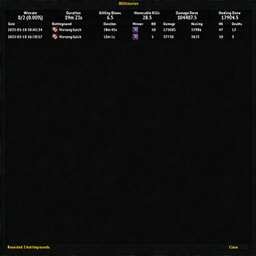
《BGHistorian》插件已兼容“发现之旅”赛季,可正常使用。该插件能够帮助你追踪战场历史战绩,分析对手,提升竞技场表现。
DBM首领警报主模块,包含当前版本的副本,不包含老团本和五人副本,需要的可以单独下载其他资料片的模块。
DBM首领警报主模块,包含当前版本的副本,不包含老团本和五人副本,需要的可以单独下载其他资料片的模块。
DBM首领警报主模块,包含当前版本的团队副本,不包含老团本和五人副本,需要的可以单独下载其他资料片的模块。
全面战斗分析,汇聚伤害、治疗等关键数据。
怀旧专用版本,正式服请勿下载!
Fancy mailbox that support multiple send/rcv with just a single step
A functional Minimap addon with loads of customisation for a clean yet fitting look for Forever.
A modern messenger: whispers like on your phone, the whole chat like Discord. Profiles, emojis, pins, folders, history.
Find groups for active quests and dungeons, with role-aware announcements and optional automatic invites.
Report completed quests and completed objectives to your party or raid, with no setup.