
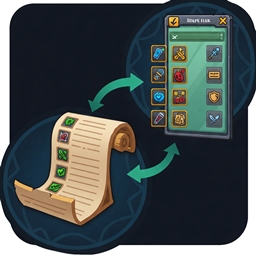
从Auctionator的“CraftSim CraftQueue”购物列表创建一个TSM拍卖行搜索字符串,你可以按照以下格式进行构建: ``` itemLink1;itemLink2;itemLink3;...;itemLinkN ``` 其中,`itemLink` 是每个物品的链接。以下是一个简化的例子: ``` # Show all items from CraftSim CraftQueue itemLink1;itemLink2;itemLink3 ``` 具体步骤如下: 1. 打开Wowuction或类似的网站。 2. 查找列表中的每个物品,并复制其物品链接。 3. 将所有物品链接用分号(;)分隔,形成一个字符串。 例如,如果购物列表中有以下物品: - 物品1(例如:[无限黑暗之纱](https://www.wowuction.com/wow/item/12345)) - 物品2(例如:[永恒之石](https://www.wowuction.com/wow/item/67890)) - 物品3(例如:[泰坦之尘](https://www.wowuction.com/wow/item/13579)) 你的TSM搜索字符串将会是: ``` https://www.wowuction.com/wow/item/12345;https://www.wowuction.com/wow/item/67890;https://www.wowuction.com/wow/item/13579 ``` 请注意,实际使用时,你需要确保链接是正确的,并且替换为实际物品的链接。此外,TSM可能不支持外部链接,因此你可能需要将物品ID和名称以特定的格式输入,例如: ``` 12345;67890;13579 ``` 在这种情况下,只需物品的ID即可。确保根据你的TSM版本和设置来调整格式。

BetterBags Midnight 是 BetterBags 的扩展插件,专门为《The Midnight》资料片提供了物品过滤功能。


**前景条:活力监控** 前景条(ProspectBar)是一款用于监控角色活力值的插件。它能直观显示当前活力值,以及活力恢复速度,帮助玩家更有效地管理角色状态,优化游戏体验。

前景条(ProspectBar)——实时监控挖矿收益 **功能简介:** 该插件能够实时显示当前挖矿的收益情况,包括矿物种类、数量及潜在价值。 **使用方法:** 安装后,游戏界面会显示一个进度条,随着你挖矿,进度条会更新显示你的收益情况。便于玩家优化挖矿效率。
DBM首领警报主模块,包含当前版本的副本,不包含老团本和五人副本,需要的可以单独下载其他资料片的模块。
DBM首领警报主模块,包含当前版本的副本,不包含老团本和五人副本,需要的可以单独下载其他资料片的模块。
DBM首领警报主模块,包含当前版本的团队副本,不包含老团本和五人副本,需要的可以单独下载其他资料片的模块。
全面战斗分析,汇聚伤害、治疗等关键数据。
怀旧专用版本,正式服请勿下载!
The quiet side of Azeroth: mutes group chatter, declines invites and spam, and plans your solo week, from raid mounts and delves to vault and alts.
See what every stat is worth to your class. Tooltips convert Spell Power and Attack Power into your main stat and add a total value with DPS gain, so you can tell which item is the upgrade.
See what every stat is worth to your class. Tooltips convert Spell Power and Attack Power into your main stat and add a total value with DPS gain, so you can tell which item is the upgrade.
BigNoteBox Spelling Pack gives you access to different language dictionaries for use with BNB.
BigNoteBox Spelling Pack gives you access to different language dictionaries for use with BNB.