

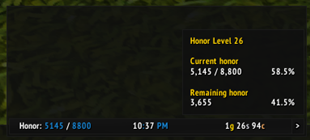
To create a data text for displaying honor using ElvUI, you would typically follow these steps in your translation, focusing on the functionality and usage. Here's how you could present it in Chinese: ### 译文 **ElvUI荣誉数据显示:** - **核心功能:** ElvUI插件允许你在游戏界面中添加一个数据文本,专门用于显示你的荣誉值。 - **使用方法:** 通过ElvUI的设置面
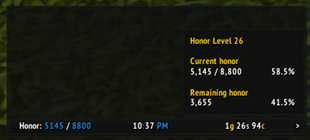
To create a data text for displaying honor using ElvUI, you would typically follow these steps. Please note that the actual translation is below, following the guidelines you provided. 1. Open ElvUI settings. 2. Navigate to the Data Texts section. 3. Create a new data text. Below is the translatio
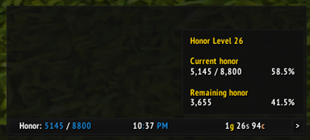
To create a data text for displaying honor using ElvUI, you would typically follow these steps in your translation, focusing on the functionality and how a gamer would use it. Here's how you could present it in Chinese: --- **ElvUI荣誉数据显示文本设置指南:** 1. 打开ElvUI配置界面。 2. 进入“数据文本”或“插件”选项卡。 3. 选择“新建”,然后选



DBM首领警报主模块,包含当前版本的副本,不包含老团本和五人副本,需要的可以单独下载其他资料片的模块。
DBM首领警报主模块,包含当前版本的副本,不包含老团本和五人副本,需要的可以单独下载其他资料片的模块。
DBM首领警报主模块,包含当前版本的团队副本,不包含老团本和五人副本,需要的可以单独下载其他资料片的模块。
全面战斗分析,汇聚伤害、治疗等关键数据。
怀旧专用版本,正式服请勿下载!
Mini games to play while you wait. Bag Memory, the first: match pairs of icons from your bags, your spellbook or random ones, with a leaderboard for every board.
Fine-tune map pin sizes for Player, Party, and Raid members independently.
The quiet side of Azeroth: mutes group chatter, declines invites and spam, and plans your solo week, from raid mounts and delves to vault and alts.
See what every stat is worth to your class. Tooltips convert Spell Power and Attack Power into your main stat and add a total value with DPS gain, so you can tell which item is the upgrade.
See what every stat is worth to your class. Tooltips convert Spell Power and Attack Power into your main stat and add a total value with DPS gain, so you can tell which item is the upgrade.