
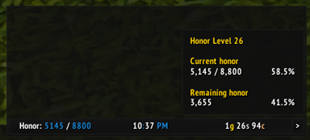
To create a data text for displaying honor using ElvUI, you would typically follow these steps. Please note that the actual translation is below, following the guidelines you provided. 1. Open ElvUI settings. 2. Navigate to the Data Texts section. 3. Create a new data text. Below is the translatio
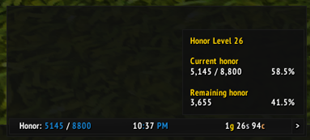
To create a data text for displaying honor using ElvUI, you would typically follow these steps in your translation, focusing on the functionality and how a gamer would use it. Here's how you could present it in Chinese: --- **ElvUI荣誉数据显示文本设置指南:** 1. 打开ElvUI配置界面。 2. 进入“数据文本”或“插件”选项卡。 3. 选择“新建”,然后选




The whole Olympus army in one window: every Olympus guild, their Lords and Captains, the map, decrees and a tabard inspection.
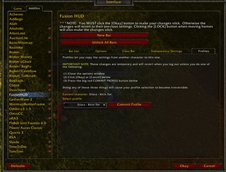


DBM首领警报主模块,包含当前版本的副本,不包含老团本和五人副本,需要的可以单独下载其他资料片的模块。
DBM首领警报主模块,包含当前版本的副本,不包含老团本和五人副本,需要的可以单独下载其他资料片的模块。
DBM首领警报主模块,包含当前版本的团队副本,不包含老团本和五人副本,需要的可以单独下载其他资料片的模块。
全面战斗分析,汇聚伤害、治疗等关键数据。
怀旧专用版本,正式服请勿下载!
Get recommended Delve companion loadouts for Valeera and Brann, apply them with one click, and track Delver's Call quests for Midnight and The War Within.
A lightweight WoW potion tracker with cooldown tracking, inventory count, customizable fonts, glow effects, adjustable positioning, and an optional “Pot Ready” voice alert.
Replaces your gun's default shots with a quieter suppressed sound while a gun is equipped
Replaces your gun's default shots with a quieter suppressed sound while a gun is equipped
Replaces your gun's default shots with a quieter suppressed sound while a gun is equipped
