


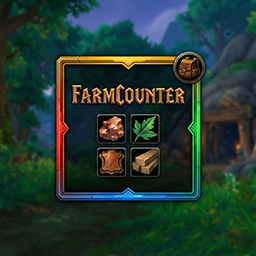
一款轻量级的一体化采集追踪器,适用于矿石、草药、皮革和房产材料,具备动态筛选功能和视觉反馈。

《UI Install》是一款专为公会成员设计的插件,它能增强团队协作,让公会成员团结一心,共同强大。该插件提供了便捷的界面安装与配置功能,助力玩家高效管理游戏界面。

角色检查音效更改器 这款插件能够自定义游戏中角色检查(/inspect)时的音效,让你在查看其他玩家装备时拥有个性化的声音体验。使用简单,安装后即可根据个人喜好设置不同的音效。

DBM首领警报主模块,包含当前版本的副本,不包含老团本和五人副本,需要的可以单独下载其他资料片的模块。
DBM首领警报主模块,包含当前版本的副本,不包含老团本和五人副本,需要的可以单独下载其他资料片的模块。
DBM首领警报主模块,包含当前版本的团队副本,不包含老团本和五人副本,需要的可以单独下载其他资料片的模块。
全面战斗分析,汇聚伤害、治疗等关键数据。
怀旧专用版本,正式服请勿下载!
Adds a lightweight dedicated group chat feed next to the party frames and whisper toasts above the chat frame so you never miss a message again!
Don't let Azeroth forget you. Every quest, foe and word you're told, recorded while you play, so your character's journey becomes their legend.
A tiny soul companion that lives off the way you play: feed it junk, explore, fight, and watch it grow and evolve, with quietly useful helpers
A tiny soul companion that lives off the way you play: feed it junk, explore, fight, and watch it grow and evolve, with quietly useful helpers
A cozy tamagotchi-style widget: a battle pet from your own collection grows with whatever you love doing in Azeroth.
