
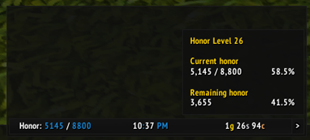
To create a data text for displaying honor using ElvUI, you would typically follow these steps in your translation, focusing on the functionality and usage. Here's how you could present it in Chinese: ### 译文 **ElvUI荣誉数据显示:** - **核心功能:** ElvUI插件允许你在游戏界面中添加一个数据文本,专门用于显示你的荣誉值。 - **使用方法:** 通过ElvUI的设置面
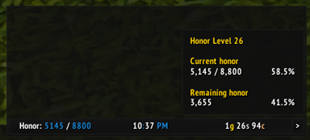
To create a data text for displaying honor using ElvUI, you would typically follow these steps. Please note that the actual translation is below, following the guidelines you provided. 1. Open ElvUI settings. 2. Navigate to the Data Texts section. 3. Create a new data text. Below is the translatio
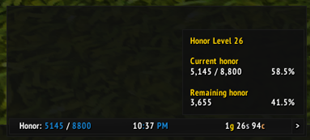
To create a data text for displaying honor using ElvUI, you would typically follow these steps in your translation, focusing on the functionality and how a gamer would use it. Here's how you could present it in Chinese: --- **ElvUI荣誉数据显示文本设置指南:** 1. 打开ElvUI配置界面。 2. 进入“数据文本”或“插件”选项卡。 3. 选择“新建”,然后选



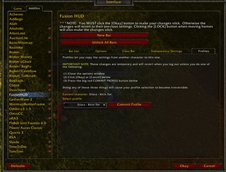


DBM首领警报主模块,包含当前版本的副本,不包含老团本和五人副本,需要的可以单独下载其他资料片的模块。
DBM首领警报主模块,包含当前版本的副本,不包含老团本和五人副本,需要的可以单独下载其他资料片的模块。
DBM首领警报主模块,包含当前版本的团队副本,不包含老团本和五人副本,需要的可以单独下载其他资料片的模块。
全面战斗分析,汇聚伤害、治疗等关键数据。
怀旧专用版本,正式服请勿下载!
Tracks your skinning, mining and herbalism yields per zone and shows class- and spec-based crafting upgrades and skill-up recipes next to every profession window.
A lightweight addon to manage and track all your WoW characters in one place.
A fast-paced mini-arcade game inside World of Warcraft featuring WASD movement, multi-class abilities, ground traps, scaling wave difficulty, and hub shop progression.
Shows if you fight enough while you level
A quick utility for finding various NPCs in game by coordinates. Works with TomTom, if installed, to provide a waypoint arrow.
